



好久没写博客了,水一篇博客。。
这两年 AI 工具越来越多,尤其是 AI 编程 Agent,基本隔一段时间就会冒出来一个新的。
这篇文章不准备做什么深度横评,主要把我目前接触过、使用过或者了解到的一些 AI 工具简单整理一下,顺便把它们的官网、下载地址、CLI、文档和安装命令统一记录下来,方便以后自己查。
更新时间:2026-08-13
AI 工具更新速度非常快,安装方式以后可能会变化,最终以对应官网为准。
一、国外 AI 编程工具
Codex
我目前使用最多的 AI 编程 Agent 之一。现在 Codex 已经覆盖 ChatGPT Desktop、CLI、IDE 插件以及 Cloud 等多种使用方式。
相关链接: Codex 官网:https://openai.com/codex/ | Codex 文档:https://developers.openai.com/codex | Desktop:https://developers.openai.com/codex/app | CLI:https://developers.openai.com/codex/cli | IDE 插件:https://developers.openai.com/codex/ide
需要注意的是,现在所谓的 Codex Desktop 实际上已经整合到了 ChatGPT Desktop 中,可以直接在桌面端选择 Codex 工作。
Codex CLI 安装:
macOS / Linux:
curl -fsSL https://chatgpt.com/codex/install.sh | sh
Windows PowerShell:
powershell -ExecutionPolicy ByPass -c "irm https://chatgpt.com/codex/install.ps1 | iex"
也可以通过 npm 跨平台安装:
npm install -g @openai/codex
macOS 还可以使用 Homebrew:
brew install --cask codex
安装完成:
codex
以上安装入口均来自 Codex 官方安装器及文档。
Claude / Claude Code
Anthropic 的 Claude。日常聊天可以直接使用 Claude,编程则主要使用 Claude Code,目前同样覆盖 Desktop、CLI 和 IDE。
相关链接: Claude:https://claude.ai/ | Claude Desktop:https://claude.com/download | Claude Code:https://code.claude.com/docs/en/overview | Claude Code 安装文档:https://code.claude.com/docs/en/setup
Claude Code CLI 安装:
macOS / Linux / WSL:
curl -fsSL https://claude.ai/install.sh | bash
Windows PowerShell:
irm https://claude.ai/install.ps1 | iex
Windows CMD:
curl -fsSL https://claude.ai/install.cmd -o install.cmd && install.cmd && del install.cmd
macOS Homebrew:
brew install --cask claude-code
Windows WinGet:
winget install Anthropic.ClaudeCode
也可以使用 npm:
npm install -g @anthropic-ai/claude-code
启动:
claude
Cursor
目前非常主流的 AI IDE,本质上就是把 AI Agent 深度整合进代码编辑器里,比较适合日常开发直接使用。
相关链接: 官网:https://cursor.com/ | Desktop 下载:https://cursor.com/download | CLI:https://cursor.com/docs/cli/overview | CLI 安装:https://cursor.com/docs/cli/installation
Cursor 现在也有独立的 Cursor Agent CLI。
macOS / Linux / WSL:
curl https://cursor.com/install -fsS | bash
Windows PowerShell:
irm 'https://cursor.com/install?win32=true' | iex
安装完成后:
agent
查看版本:
agent --version
更新:
agent update
Google Antigravity
Google 推出的 Agent 编程工具,目前既有完整 GUI,也提供了独立的 Antigravity CLI。CLI 命令叫 agy。
相关链接: 官网:https://antigravity.google/ | Desktop 下载:https://antigravity.google/download | CLI:https://antigravity.google/product/antigravity-cli | CLI 文档:https://antigravity.google/docs/cli/overview | GitHub:https://github.com/google-antigravity/antigravity-cli
macOS / Linux:
curl -fsSL https://antigravity.google/cli/install.sh | bash
Windows PowerShell:
irm https://antigravity.google/cli/install.ps1 | iex
Windows CMD:
curl -fsSL https://antigravity.google/cli/install.cmd -o install.cmd && install.cmd && del install.cmd
启动:
agy
Grok / Grok Build
Grok 是 xAI 的通用 AI 产品,而真正对应 Codex、Claude Code 这种编程 Agent 的产品叫 Grok Build。它主要以 CLI / TUI 的形式工作。
相关链接: Grok:https://grok.com/ | Grok Build:https://x.ai/build | Grok Build 文档:https://docs.x.ai/build/overview | GitHub:https://github.com/xai-org/grok-build
macOS / Linux / WSL / Git Bash:
curl -fsSL https://x.ai/cli/install.sh | bash
Windows PowerShell:
irm https://x.ai/cli/install.ps1 | iex
启动:
grok
查看版本:
grok --version
Kiro
AWS 推出的 AI 编程产品,目前已经不仅仅是一个 IDE,同时提供 IDE、CLI、Web、Mobile 和 Crew 等形态。
相关链接: 官网:https://kiro.dev/ | 下载:https://kiro.dev/downloads/ | CLI:https://kiro.dev/cli/ | CLI 文档:https://kiro.dev/docs/cli/
macOS / Linux:
curl -fsSL https://cli.kiro.dev/install | bash
Windows PowerShell:
irm https://cli.kiro.dev/install.ps1 | iex
启动:
kiro-cli
Windows 的 PowerShell 安装脚本也是 Kiro 官方提供的安装器。
Devin / Windsurf
以前大家比较熟悉的是 Windsurf。从 2026 年 6 月开始,Windsurf 已正式更名并整合为 Devin Desktop,所以现在最好直接按照 Devin 的新产品体系来看。
相关链接: Devin:https://devin.ai/ | Devin Desktop:https://devin.ai/desktop | Desktop 下载:https://devin.ai/download | Desktop 文档:https://docs.devin.ai/desktop/getting-started | Devin CLI:https://docs.devin.ai/cli | 原 Windsurf 文档:https://docs.windsurf.com/
Devin 现在也提供独立的本地 Devin CLI。
macOS / Linux / WSL:
curl -fsSL https://cli.devin.ai/install.sh | bash
macOS Homebrew:
brew install --cask devin-cli
Windows PowerShell:
irm https://static.devin.ai/cli/setup.ps1 | iex
启动:
devin
另外,在 Devin Desktop 中也可以直接打开 Command Palette,执行:
Install Devin CLI
安装到系统 PATH。
二、国内 AI 工具
DeepseekHarness
2026.8.13日隆重推出!
相关链接:官网:https://www.deepseek.com/harness/ | Github:https://github.com/deepseek-ai/deepseek-harness
一键使用:
npx @deepseek-ai/dsh webTRAE CN
字节推出的 AI 编程工具,国内使用比较方便,目前已经有 TraeCode、TraeWork、IDE Plugin 和 TraeCode CLI 等产品。
相关链接: 国内官网:https://www.trae.cn/ | 国际站:https://www.trae.ai/ | 官方文档:https://docs.trae.cn/ | TraeCode CLI 2.0:https://docs.trae.cn/cli_get-started-with-trae-code-cli-2
TraeCode CLI 2.0:
macOS / Linux:
sh -c "$(curl -fsSL https://trae.cn/trae-cli/install_v2.sh)"
Windows PowerShell:
irm https://trae.cn/trae-cli/install_v2.ps1 | iex
启动:
traecli
WorkBuddy
腾讯推出的桌面 AI Agent。和单纯的 AI IDE 不太一样,它更偏向通用电脑 Agent / AI 工作台,除了写代码,也可以处理文件、文档、浏览器、办公任务以及各种 Skills。
相关链接: 官网:https://www.workbuddy.cn/ | 腾讯官方入口:https://workbuddy.tencent.com/ | 下载:https://www.workbuddy.cn/work/ | 官方文档:https://www.workbuddy.cn/docs/workbuddy/
目前主要直接下载安装桌面客户端,支持 macOS 和 Windows,暂时没有必要单独折腾 CLI。
Qoder
阿里系的 AI 编程 Agent,同样覆盖了 IDE、Desktop、CLI、Cloud Agent 等形态。
我之前经常会把名字手滑写成 Qocder,正确名字是 Qoder。
相关链接: 官网:https://qoder.com/ | 下载:https://qoder.com/download | Desktop:https://qoder.com/en/desktop | CLI:https://qoder.com/cli | 文档:https://docs.qoder.com/ | CLI 安装文档:https://docs.qoder.com/cli/install
macOS / Linux:
curl -fsSL https://qoder.com/install | bash
Windows PowerShell:
irm https://qoder.com/install.ps1 | iex
Windows CMD:
curl -fsSL https://qoder.com/install.cmd -o install.cmd && install.cmd
还可以通过 npm:
npm install -g @qoder-ai/qodercli
启动:
qodercli
三、反向代理、Provider 与账号管理工具
这里我习惯统称为“反向代理工具”,不过严格来说它们并不完全是一类东西。
像 Sub2API、CPA、New API、9Router 更接近真正的 API Gateway / Proxy;而 CC Switch、Cockpit Tools 更偏向 Provider、配置和账号管理。
CC Switch
这是我现在自己比较常用的工具。
它主要用来统一管理和切换 Claude Code、Codex、Grok Build 等 AI 编程工具的 Provider、配置、MCP、Skills 等。严格来说它不是单纯的反向代理,而更像一个 AI Coding 配置控制中心。
相关链接: 官网:https://ccswitch.io/ | GitHub:https://github.com/farion1231/cc-switch | Releases:https://github.com/farion1231/cc-switch/releases | 安装文档:https://github.com/farion1231/cc-switch/blob/main/docs/user-manual/zh/1-getting-started/1.2-installation.md
Windows 直接从 Releases 下载 MSI。
macOS:
brew install --cask cc-switch
升级:
brew upgrade --cask cc-switch
Arch Linux:
paru -S cc-switch-bin
或者:
yay -S cc-switch-bin
Ubuntu / Debian 等 Linux 也可以直接从 Releases 下载 .deb、.rpm 或 AppImage。
Sub2API
这是一个偏 AI API Gateway / 订阅账号池 / API 分发管理 的项目,可以把多个上游统一管理后,再提供统一 API 给自己的客户端使用。
相关链接: GitHub:https://github.com/Wei-Shaw/sub2api | 中文 README:https://github.com/Wei-Shaw/sub2api/blob/main/README_CN.md | 部署文档:https://github.com/Wei-Shaw/sub2api/blob/main/deploy/README.md
官方推荐的 Docker Compose 快速部署:
mkdir -p sub2api-deploy && cd sub2api-deploy

curl -sSL https://raw.githubusercontent.com/Wei-Shaw/sub2api/main/deploy/docker-deploy.sh | bash

docker compose up -d

docker compose logs -f sub2api
默认 Web 管理页面:
http://localhost:8080
Cockpit Tools
也是我自己会用的一款工具。
它更偏向 AI IDE 多账号管理、账号切换、配额查看和多实例管理,可以管理 Antigravity、Codex、Cursor、Kiro、Gemini CLI 等多个工具。
相关链接: GitHub:https://github.com/jlcodes99/cockpit-tools | Releases:https://github.com/jlcodes99/cockpit-tools/releases
macOS:
brew tap jlcodes99/cockpit-tools https://github.com/jlcodes99/cockpit-tools
brew install --cask cockpit-tools
Windows 可以从 Releases 下载 .msi / .exe。
Linux 可以下载 .deb / .rpm / .AppImage。
四、另外几个我了解到的代理 / Gateway
CPA / CLIProxyAPI
CPA 一般就是指 CLIProxyAPI。
它可以把 Codex、Claude Code、Antigravity、Grok Build 等 CLI / OAuth 能力包装成 OpenAI、Claude、Gemini、Codex 等兼容 API,非常适合自己做统一入口。
相关链接: GitHub:https://github.com/router-for-me/CLIProxyAPI | 官方文档:https://help.router-for.me/ | 中文快速开始:https://help.router-for.me/cn/introduction/quick-start | Releases:https://github.com/router-for-me/CLIProxyAPI/releases | Web 管理面板:https://github.com/router-for-me/Cli-Proxy-API-Management-Center
macOS:
brew install cliproxyapi
brew services start cliproxyapi
Linux 一键安装:
curl -fsSL https://raw.githubusercontent.com/router-for-me/cliproxyapi-installer/refs/heads/master/cliproxyapi-installer | bash
Windows 推荐直接从 Releases 下载对应二进制程序。
也可以直接使用 Docker:
docker run --rm \
  -p 8317:8317 \
  -v /path/to/your/config.yaml:/CLIProxyAPI/config.yaml \
  -v /path/to/your/auth-dir:/root/.cli-proxy-api \
  -v /path/to/your/plugins-dir:/CLIProxyAPI/plugins \
  eceasy/cli-proxy-api:latest
New API
很经典的一类 统一大模型 API 网关 / 分发系统,可以把多个模型渠道统一到一个管理后台里,然后对外提供统一 API。
相关链接: 官网:https://www.newapi.ai/ | GitHub:https://github.com/QuantumNous/new-api | 官方文档:https://docs.newapi.pro/ | Docker Compose 文档:https://docs.newapi.pro/zh/docs/installation/deployment-methods/docker-compose-installation
最简单的 Docker Compose 部署:
git clone https://github.com/QuantumNous/new-api.git

cd new-api

docker-compose up -d
默认端口:
http://localhost:3000
官方目前也更推荐使用 Docker Compose 进行部署。
9Router
一个比较轻量的本地 AI Router,可以把多个 AI Provider 接到一起,并提供统一的 OpenAI Compatible Endpoint,同时支持自动 fallback。
相关链接: 官网:https://9router.com/ | GitHub:https://github.com/decolua/9router | Releases:https://github.com/decolua/9router/releases
它的安装很简单,Node.js 环境下全平台基本都可以直接:
npm install -g 9router
然后:
9router
默认 API:
http://localhost:20128/v1
管理面板:
http://localhost:20128/dashboard
五、本地多 Provider AI / Agent 客户端
Cherry Studio
如果不想为了 OpenAI、Claude、Gemini、DeepSeek 等模型分别装一堆聊天客户端,我觉得 Cherry Studio 是目前本地多 Provider 客户端里非常好用的一个。
它支持 Windows、macOS、Linux,并且现在已经不只是普通聊天客户端,也加入了 Agent、Skills、MCP、知识库等能力。
相关链接: 官网:https://cherryai.com/ | GitHub:https://github.com/CherryHQ/cherry-studio | Releases:https://github.com/CherryHQ/cherry-studio/releases | 官方文档仓库:https://github.com/CherryHQ/cherry-studio-docs
Windows、macOS、Linux 都可以直接在官网或者 GitHub Releases 下载对应安装包。
如果只是想在本地找一个客户端,把自己的 OpenAI、Claude、Gemini、DeepSeek、本地 Ollama,以及各种 OpenAI Compatible API 全部集中到一起,我一般会优先想到 Cherry Studio。
最后
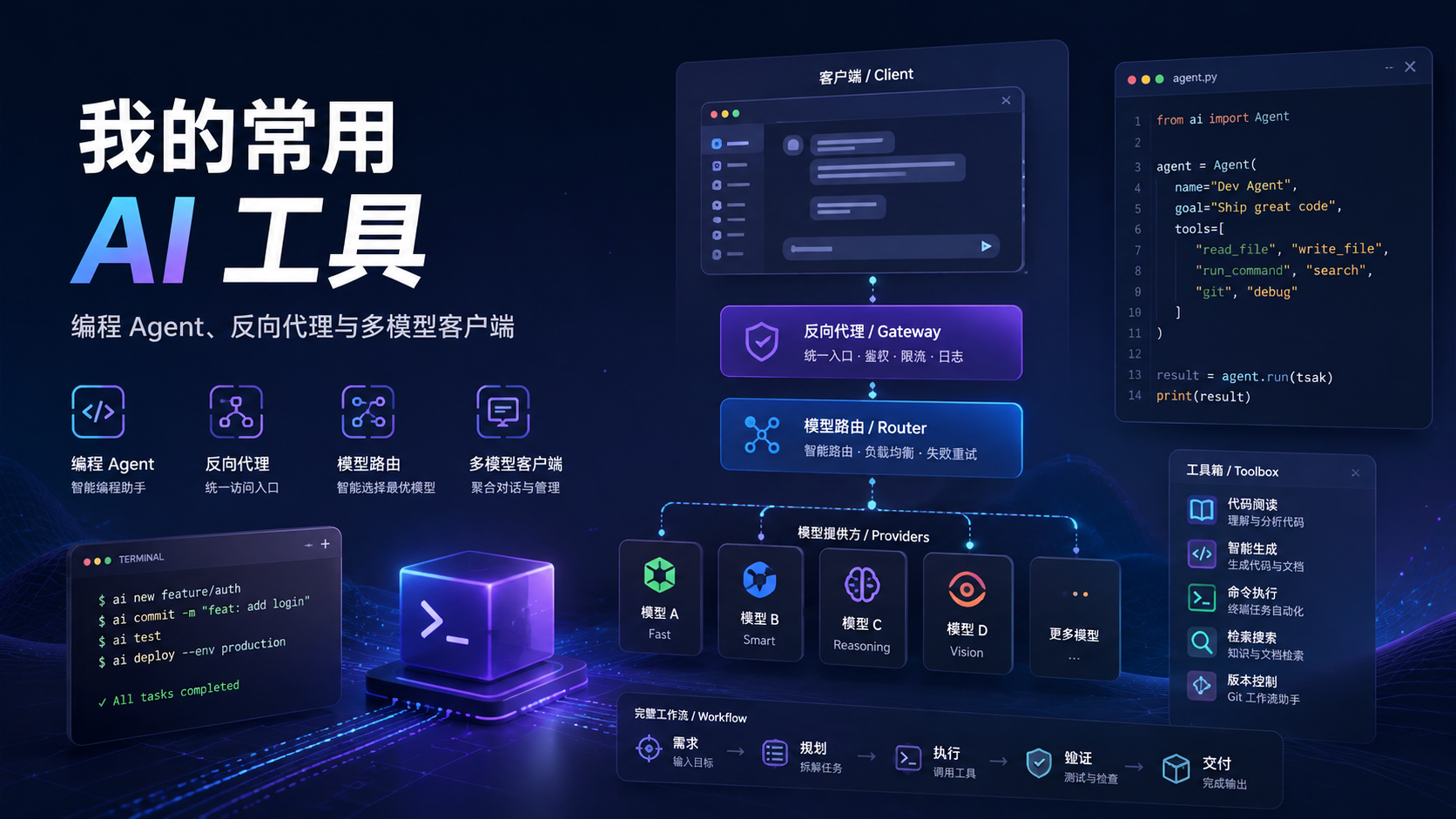
目前我的 AI 工具大概可以简单分成这么几层:
AI 编程 Agent: Codex、Claude Code、Cursor、Antigravity、Grok Build、Kiro、Devin、TRAE、Qoder。
桌面通用 Agent: WorkBuddy。
Provider / 账号管理: CC Switch、Cockpit Tools。
API Gateway / 反向代理: Sub2API、CLIProxyAPI、New API、9Router。
本地多模型客户端: Cherry Studio。
以前我们可能只是挑一个 ChatGPT 或 Claude 用,现在 AI 工具的形态已经明显开始分化成:
模型 → Agent → IDE / CLI → Provider → Gateway → MCP / Skills
所以后面真正值得折腾的,可能已经不只是“哪个模型更强”,而是怎么把这些工具组合成一套自己用得最顺手的 AI 工作流。
最后还是提醒一下:涉及 OAuth、Cookie、API Key、订阅账号的工具,本质上都接触到了非常敏感的凭据。尤其是各种代理、账号池和 Provider 管理工具,尽量只从官方仓库下载,能本地部署就优先本地部署,同时注意对应上游服务的使用条款。
这篇先当一个工具索引,后面有时间再单独写写这些东西实际用起来到底有什么区别。

评论